

Hubstaff
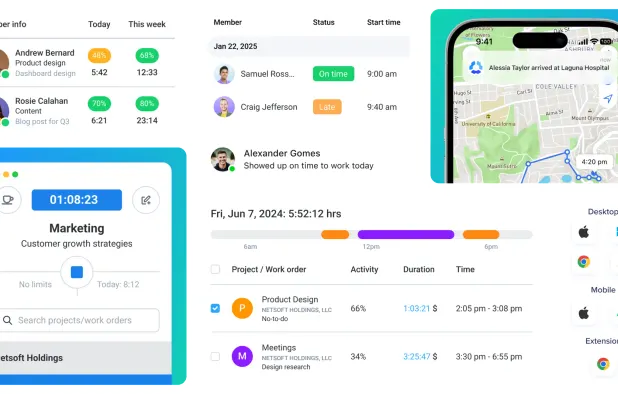
Hubstaff's affiliate program lets approved partners refer new Hubstaff customers through tracked links and earn recurring commissions on qualifying subscription revenue. The program uses PartnerStack for tracking, dashboards, referral management, analytics, and automated payout administration. Hubstaff promotes the program around its time-tracking, workforce-management, productivity, and remote-work software.
Overview

Commission & Conversion Tracking
How Hubstaff calculates commissions and tracks conversions.
- Commission plans
- Multiple commission options available: 20.0% recurring (Non-Enterprise Plans), 30.0% recurring (Enterprise Plans). Select the plan that aligns with your promotional strategy.
Tracking
Attribution model | Last-click cookie-based attribution is the most supportable interpretation from the published 120-day tracking-window description; Hubstaff does not publicly document a multi-touch model. |
Tracking method | PartnerStack tracking using affiliate links, cookies, referral attribution, and a partner dashboard. |
Cookie duration | 120 days |
Promotional Tools and Resources
Materials and resources provided to support your promotion efforts
BANNERS | |
TEXT LINKS | Yes |
SUPPORTS DEEP LINKING |
- More info about marketing materials
- PartnerStack dashboard and affiliate links; referral-management and analytics tools; Hubstaff promotional information and product pages. Publicly verified sources do not provide a complete official inventory of banner sizes, email templates, product feeds, APIs, or a formal deep-linking policy.
Program Rules, Approval and Restrictions
Guidelines and limitations you need to follow when promoting Hubstaff
SOCIAL MEDIA ALLOWED | |
EMAIL MARKETING ALLOWED | |
PPC ALLOWED | |
Trademark Bidding | |
GEOGRAPHIC RESTRICTIONS | The published support terms define a valid registration as one for a U.S. company that is not already a Hubstaff customer or lead. |
COUPON SITE ALLOWED |
- Approval process
- Manual approval that usually takes 3 days. Applicants must submit an application through PartnerStack. Hubstaff reviews applications manually. Approved affiliates must use compliant promotional methods, refer legitimate new customers, comply with the affiliate agreement, disclose sub-affiliate sources, avoid coupon/deal-site promotion, and obtain written permission for potentially competing PPC campaigns. The published materials do not specify a minimum audience size, minimum monthly traffic, minimum revenue, or mandatory industry certification.
- Other restrictions
- Affiliates must promote Hubstaff through truthful, relevant materials and use approved tracking links. They may not generate commissions through chargebacks, refunds, fraudulent or illegitimate registrations, or referrals involving existing Hubstaff customers or known leads. Coupon and deal-site promotion is prohibited. Sub-affiliate traffic must be disclosed, and all sub-affiliates must comply with the agreement. Competing PPC activity requires written permission. Hubstaff may withhold or reduce commissions for noncompliant traffic and may hold payouts during reviews.
Payouts and Payment Methods
How earnings are paid out and which methods are supported
Payment frequency | Monthly |
Payout currency | USD |
Minimum threshold | $25 |
- More payout info
- Hubstaff withholds commissions for three months on referrals. After that period, accrued commissions are paid, and future commissions are paid monthly. Commissions apply only to successful transactions from valid customers; chargebacks and refunds are excluded. Hubstaff may hold payouts while reviewing referrals or account activity. Payouts are executed through PartnerStack unless Hubstaff agrees otherwise with a specific affiliate.; Schedule: Three-month commission hold, followed by monthly payments.
Payout methods
Hubstaff overview
- Company
- Pricing model
- Subscription / Paid
- App types
SUPPORTED PLATFORMS
Partnerstack Overview

Apps Similar to Hubstaff with Affiliate Programs

Toggl Track is a time-tracking software that works across various environments and devices, providing detailed data on profitability and productivity. It features one-click and background tracking, and can be integrated into your workflow.

This tool automatically monitors computer use, providing detailed insights to enhance productivity and time management. It features goal setting and alerts to help conquer procrastination, while comparing user metrics to average data for broader context.

Monitor and enhance productivity with real-time insights, track time, manage remote teams effectively, and streamline workflows. Insightful offers scalable, secure solutions available in both Cloud and On-Premise, supporting flexible work environments with ease of deployment.

Streamline task management with visual boards, schedule resources, track time and expenses automatically, invoice clients, collaborate with teams and clients on one platform, monitor project profitability and performance, and manage work on mobile devices.

TimeCamp logs hours hands-free in the background — no timers, no chasing. Real-time margin on every client and project. Time, attendance, reporting, and capacity planning in one login. Automatic capture, not clock-watching. Stop guessing. Start knowing.

Time tracking software with dashboards, break management, and offline tracking. Supports workforce management, app usage monitoring, over 60 integrations, client access, and payroll integration. Offers employee monitoring with activity visibility and optional screenshots.