

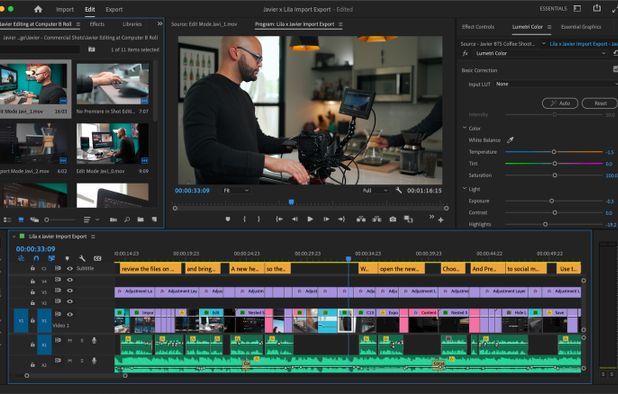
Adobe Premiere Pro
Join the Adobe Affiliate Programme and earn attractive commissions. Promote Adobe Creative Cloud, Adobe Stock and Adobe Document Cloud on your website, blog or social media channel. It’s free, it’s easy and it pays. Access to marketing banners, text links, regular promotions, product reporting.
Overview

Commission & Conversion Tracking
How Adobe Premiere Pro calculates commissions and tracks conversions.
- Commission plans
- Multiple commission options available: 85.0% recurring (Subscription Subscription), 33.0% recurring (Standard Recurring Commission). Select the plan that aligns with your promotional strategy.
Tracking
Attribution model | Cookie-based |
Tracking method | Cookies |
Cookie duration | 30 days |
Promotional Tools and Resources
Materials and resources provided to support your promotion efforts
BANNERS | Yes |
TEXT LINKS | Yes |
SUPPORTS DEEP LINKING |
- More info about marketing materials
- Comprehensive selection of ready-to-publish marketing banners and text links for Adobe Creative Cloud, Document Cloud and Adobe Stock
Program Rules, Approval and Restrictions
Guidelines and limitations you need to follow when promoting Adobe Premiere Pro
SOCIAL MEDIA ALLOWED | Yes |
EMAIL MARKETING ALLOWED | Yes |
PPC ALLOWED | |
Trademark Bidding | |
GEOGRAPHIC RESTRICTIONS | Only available in certain countries |
COUPON SITE ALLOWED |
- Approval process
- Manual approval that usually takes Quickly reviewed. No website required — Application reviewed; demonstrate relevant audience and content
Payouts and Payment Methods
How earnings are paid out and which methods are supported
Payment frequency | Net30 |
Payout currency | USD |
Minimum threshold | $30 |
Payout methods
Adobe Premiere Pro overview
- Company
- Pricing model
- Subscription / Paid
- App types
SUPPORTED PLATFORMS
Partnerize Overview

Apps Similar to Adobe Premiere Pro with Affiliate Programs

Free video editor offering multi-track timeline, trimming, splitting, speed adjustments, advanced filters, stickers, backgrounds removal, licensed music, speech-to-text, stabilization, customizable 4K 60fps export, and direct sharing to social platforms like TikTok and YouTube.

This all-in-one solution offers screen and webcam recording, video editing, and chroma key features, producing stunning HD-quality content easily shareable on platforms like YouTube and Screencast.com. Designed for training, presentations, and more, it supports H.264 format and compact file sizes.

Easy video editor designed for beginners and content creators, featuring a drag-and-drop timeline, 4K/8K support, built-in effects, transitions, titles, AI-driven tools for background removal, screen recording, Instant Mode templates, stabilization, and direct online sharing.

Professional editing platform with speech-to-text transcription, script-based workflows, Pro Tools integration, high-res and HDR support, proxy editing, Apple Silicon optimization, virtual post production, subtitles, and real-time collaboration for large teams.

Non-linear editor for Windows supporting HD, 4K, and 360 video, unlimited tracks, advanced effects, multi-camera editing, screen recording, stop motion, enhanced keyframe controls, audio layering, split screen, selective color, and disc or web export.

Consumer video editing software offering AI-powered automation, beginner-friendly guided edits, creative effects, easy trimming and merging, media organization, movie and collage creation, social sharing, mobile and web access, and support for Windows and Mac.