

Motion AI Scheduling
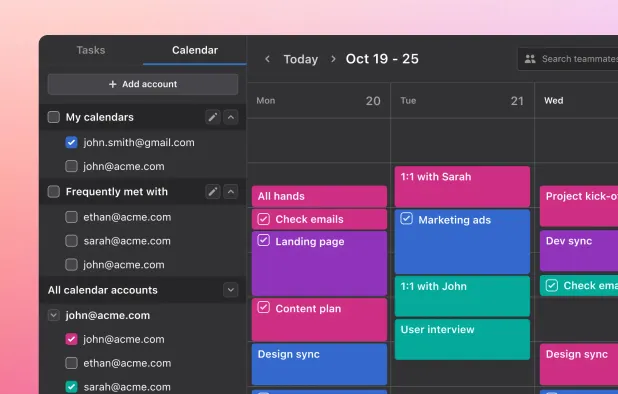
The Motion Affiliate Program allows partners to earn commissions by referring new customers to Motion's AI-powered scheduling and task management platform. Affiliates can earn $50 per paid subscriber or 25% recurring commission on all referred subscription payments.
Overview

Commission & Conversion Tracking
How Motion AI Scheduling calculates commissions and tracks conversions.
- Commission plans
- Earn $50.0 recurring commission on all referred subscription payments. Commissions continue for the lifetime of each referred customer.
Tracking
Attribution model | Last-click |
Tracking method | Cookies |
Cookie duration | 365 days |
Promotional Tools and Resources
Materials and resources provided to support your promotion efforts
BANNERS | |
TEXT LINKS | Yes |
SUPPORTS DEEP LINKING |
- More info about marketing materials
- Standard affiliate links; additional materials such as banners, swipe files, FAQs typically inside the affiliate dashboard after registration.
Program Rules, Approval and Restrictions
Guidelines and limitations you need to follow when promoting Motion AI Scheduling
SOCIAL MEDIA ALLOWED | Yes |
EMAIL MARKETING ALLOWED | Yes |
PPC ALLOWED | |
Trademark Bidding | |
COUPON SITE ALLOWED |
- Approval process
- Manual approval that usually takes Within a week. Demonstrated audience interested in productivity tools; no specific traffic minimums disclosed.
Payouts and Payment Methods
How earnings are paid out and which methods are supported
Payment frequency | Monthly |
Payout currency | USD |
Minimum threshold | $25 |
- More payout info
- Commissions are paid monthly, provided the minimum payout threshold of $25 is met.; Schedule: Monthly
Payout methods
Motion AI Scheduling overview
- Company
- Pricing model
- Subscription / Paid
- App types
SUPPORTED PLATFORMS
Partnerstack Overview

Apps Similar to Motion AI Scheduling with Affiliate Programs

AI productivity platform for teams consolidates tasks, notes, meeting transcription, and instant task assignments into one workspace. Integrates with existing tools to streamline workflows, eliminate administrative work, and improve team coordination and efficiency.

Experience a fully integrated calendar with Notion, syncing events from Google Calendar, offering built-in scheduling, time zone support, and the ability to connect multiple accounts. Manage all events, personal and work, with a modern design, light and dark modes, and Lock Screen support for iOS 17.

Block distractions on Windows, Mac, and Android with FocusMe's Blacklist, Whitelist, Time Tracker, Scheduler, Pomodoro Timer, and security features like Password Protection and Forced Mode to boost productivity by customizing user feedback-based settings.

Enhances productivity by optimizing calendar management, syncing data, and balancing activities with intelligent scheduling. Integrates seamlessly with Google Calendar, Slack, and Calendly to automate task management and improve work-life balance while protecting personal time.

Unify meeting organization, task management, event scheduling, and project-based collaboration in a single workspace. Assign and track meeting action items, use collaborative agendas and notes, view teammate calendars, and keep team meetings focused and structured.

Revolutionize your operating system with WindowFX. Utilize an unprecedented number of special effects for your windows and maximize your computing experience.