

iSpring Suite
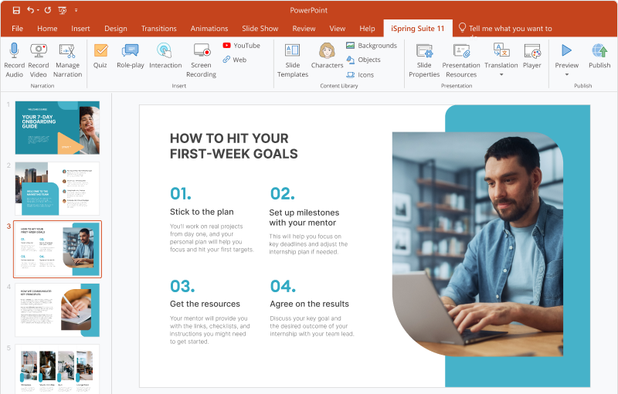
iSpring invites publishers to recommend iSpring Suite, its eLearning authoring toolkit for creating online courses, video lectures, assessments, role-plays, and related training content. Applicants complete a brief application. After confirmation, iSpring supplies a unique referral link and referral-portal login, where affiliates can track referrals, links, sales, and confirmed commissions. The program is free to join and pays commission on initial sales.
Overview

Commission & Conversion Tracking
How iSpring Suite calculates commissions and tracks conversions.
- Commission plans
- Earn 10.0% one-time commission on referred purchases. Payment is made once per successful referral.
Tracking
Attribution model | Cookie-based referral attribution; the official page does not explicitly state whether attribution is last-click, first-click, or multi-touch. |
Tracking method | Unique referral links and cookies tracked through a referral portal powered by Post Affiliate Pro. The official source confirms cookies and a referral portal; it does not document pixels, postbacks, or server-to-server tracking. |
Cookie duration | 90 days |
Promotional Tools and Resources
Materials and resources provided to support your promotion efforts
BANNERS | |
TEXT LINKS | Yes |
SUPPORTS DEEP LINKING |
- More info about marketing materials
- Unique affiliate/referral links, Referral-portal login, Referral, link, sales, and confirmed-commission reporting, Product positioning for iSpring Suite, No publicly confirmed banner library, text-link catalog, product feed, API, coupon feed, or creative-size inventory
Program Rules, Approval and Restrictions
Guidelines and limitations you need to follow when promoting iSpring Suite
SOCIAL MEDIA ALLOWED | Yes |
EMAIL MARKETING ALLOWED | |
PPC ALLOWED | |
Trademark Bidding | |
GEOGRAPHIC RESTRICTIONS | No geographic restrictions are stated on the official affiliate page. A third-party Post Affiliate Pro directory describes the program as worldwide, but country eligibility should be confirmed during application. |
COUPON SITE ALLOWED |
- Approval process
- Manual confirmation approval that usually takes Not publicly specified; the official page says iSpring will contact applicants shortly.. Complete a brief affiliate application, provide contact information, wait for iSpring confirmation, accept the applicable affiliate terms, and use the unique referral link supplied after approval. The official page does not publish mandatory traffic levels, a required business type, a required website, audience-size criteria, or a detailed acceptance checklist.
- Other restrictions
- The official page requires affiliates to use the unique referral link supplied by iSpring and promotes iSpring Suite accurately. It does not publish a complete prohibited-content policy, rules for incentivized traffic, trademark usage, paid search, coupon traffic, adult content, political content, or software-download promotion. Affiliates should avoid misleading claims, unauthorized discounts, brand impersonation, spam, and undisclosed commercial endorsements.
Payouts and Payment Methods
How earnings are paid out and which methods are supported
Payment frequency | Unknown |
Payout currency | USD |
Minimum threshold | $0 |
- More payout info
- Commissions are verified 30 days after the referred customer's purchase. Verified commissions are then paid quarterly. The official page does not state a minimum payout balance, payout currency, payment method, refund-reversal policy, or exact quarterly payment date.; Schedule: Verified Net 30, then paid quarterly; exact issue date is not publicly stated
Payout methods
iSpring Suite overview
- Company
- Pricing model
- Subscription / Paid
- App types
SUPPORTED PLATFORMS
Apps Similar to iSpring Suite with Affiliate Programs

Authoring solution enabling interactive eLearning course creation, flexible project layouts, advanced screen recording, video editing tools with annotation, timeline-based adjustments, and export to video, image, HTML5, SCORM, xAPI, office, or PDF formats.

Design eLearning content using Adobe Captivate's tools that offer HTML5 quizzes, simulations, and AI voice narration. Easily convert PowerPoint to HTML5 with SCORM, create responsive designs, and offer customizable immersive experiences for various screen sizes.